If you run a small manufacturing company, you already know the feeling: spreadsheets everywhere, inventory counts that never quite match reality, and production schedules that live more in someone's head than in any system. At Trusinvatechsolutions, we work with US manufacturers every day through our ERP system development and custom software development work, and this is the single most common story we hear before a business finally moves to a real ERP platform. This guide walks through what manufacturing ERP software actually does, which options make sense for small US manufacturers in 2026, what it costs, and how to choose without wasting six months on the wrong tool. If you'd like to see how we've helped similar businesses, our projects page has real examples, and you can always get in touch if you want a second opinion before you buy anything.
What's the Best Manufacturing ERP for Small US Businesses in 2026?
There is no single "best" manufacturing ERP software — the right choice depends on your production style, budget, and how much complexity you can realistically manage. That said, a few platforms consistently come up as strong fits for small manufacturers in 2026:
- Microsoft Dynamics 365 Business Central – best all-around choice for small manufacturers that want financials, inventory, and production in one system
- Acumatica Manufacturing Edition – strong cloud ERP for growing manufacturers who want flexible, usage-based licensing
- Oracle NetSuite – solid pick for manufacturers planning rapid growth or multi-location operations
- Odoo Manufacturing – affordable, modular option for very small or budget-conscious manufacturers
- Cin7 – a good fit for manufacturers with heavy multi-channel inventory and distribution needs
- Katana Cloud Manufacturing – lightweight, shop-floor-friendly software for small batch or made-to-order producers
Below, we'll break down what manufacturing ERP software actually is, why it matters, how these systems compare, and how to pick the right one for your business.
What Is Manufacturing ERP Software?
Manufacturing ERP (Enterprise Resource Planning) software is a business management system that connects everything happening on your shop floor with everything happening in your back office. Instead of running separate tools for accounting, inventory, purchasing, and production scheduling, a manufacturing ERP system pulls all of it into one connected platform.
A typical manufacturing ERP includes modules for:
- Inventory management – real-time stock levels across raw materials, work-in-progress, and finished goods
- Production planning and scheduling – converting sales orders into work orders and shop floor schedules
- Bill of Materials (BOM) management – tracking exactly what components and quantities go into each product
- Procurement and supply chain management – purchase orders, vendor management, and demand forecasting
- Quality control – tracking defects, inspections, and compliance requirements
- Accounting and financial reporting – general ledger, accounts payable/receivable, and job costing
- Warehouse management – picking, packing, and shipping workflows
The difference between manufacturing ERP and general business software is important. Many platforms are built around accounting first, with production features added on top later. That approach tends to leave gaps once you're running a real shop floor. A true manufacturing ERP is built around the production process itself — routings, work centers, material requirements planning (MRP), and shop floor control — with financials layered on top, not the other way around.
Why Manufacturing ERP Matters for Small US Businesses in 2026
Manufacturing in the United States has gotten more competitive, not less. Small manufacturers are squeezed between rising material costs, tighter customer delivery expectations, and a labor market where skilled shop floor staff are hard to find and harder to keep. Against that backdrop, running your business on spreadsheets and disconnected software isn't just inconvenient — it's a real competitive disadvantage.
The Cost of Staying on Spreadsheets
Without a connected system, small manufacturers typically deal with:
- Inventory counts that don't match what's actually on the shelf
- Production planning that's reactive instead of proactive
- No clear, real-time view of job costs or profitability by product
- Manual data entry between systems that don't talk to each other
- Difficulty scaling without hiring more admin staff just to keep up
What's Changed by 2026
Cloud-based ERP has become the dominant deployment model for small manufacturers, largely because it removes the need for in-house servers and IT staff while still delivering automatic updates and built-in disaster recovery. Just as significantly, embedded AI features — demand forecasting, automated inventory optimization, and intelligent workflow automation — that used to be exclusive to large enterprise systems are now showing up in mid-market and small-business ERP platforms. That means a 15-person machine shop can access forecasting tools that would have required a data science team a few years ago.
This is also why more manufacturers are pairing ERP rollouts with broader digital transformation initiatives — better systems, better websites, and better data all reinforce each other.
Key Features Every Small Manufacturer Should Look For
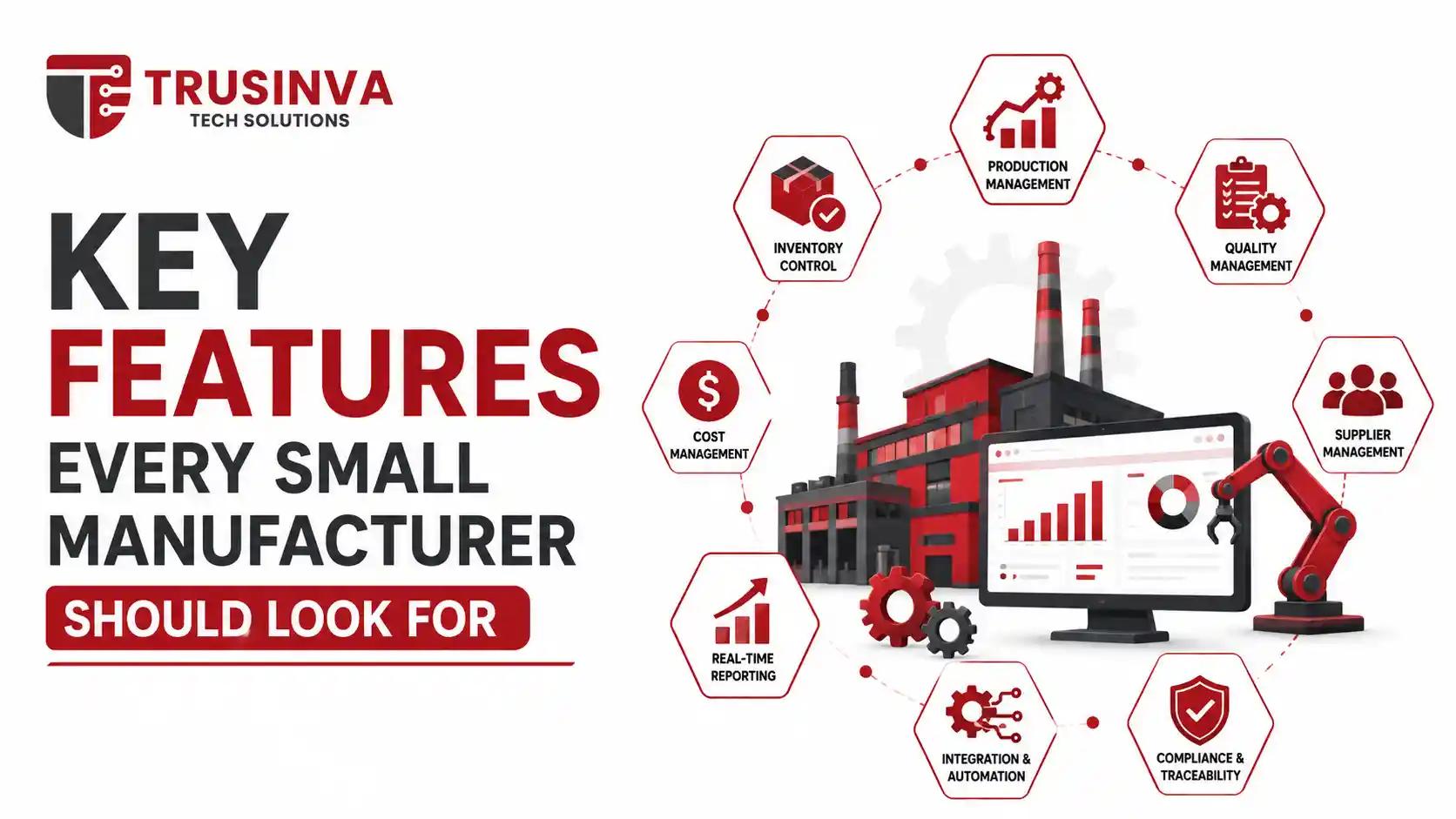
Not every ERP labeled "for manufacturing" is actually built for it. Before you evaluate specific vendors, use this checklist to filter out systems that won't fit a real production environment.
Core Manufacturing Features
- Material Requirements Planning (MRP) – automatically calculates what materials you need and when, based on demand
- Multi-level Bill of Materials (BOM) – supports products built from sub-assemblies, not just flat parts lists
- Shop floor control – real-time visibility into what's being worked on, by whom, and at what stage
- Capacity planning – shows whether your production schedule is realistic given available labor and machine time
- Lot and serial tracking – critical for food, medical device, and regulated manufacturers that need traceability
- Quality management – inspection plans, non-conformance tracking, and corrective action workflows
Business and Financial Features
- Real-time job costing so you know true product profitability, not just estimated margins
- Integrated accounting (general ledger, AP/AR, payroll integration)
- Demand forecasting and reorder point automation
- Multi-currency and multi-entity support if you sell internationally or run multiple locations
- Role-based dashboards so operators, supervisors, and owners each see what's relevant to them
Technical and Deployment Considerations
- Cloud vs. on-premise – for the large majority of small manufacturers in 2026, cloud ERP is the more practical choice because of lower upfront cost and automatic maintenance
- Integration capability – your ERP should connect cleanly with e-commerce platforms, CRM systems, and shipping tools through open APIs
- Mobile access – shop floor staff need to update job status from a tablet or handheld scanner, not walk back to an office computer
- Scalability – the system should support your business at double or triple its current size without a full replacement
Comparing the Top Manufacturing ERP Options for Small US Businesses (2026)
| ERP Software | Best For | Deployment | Starting Price Range | Key Strength |
| Microsoft Dynamics 365 Business Central | All-around small manufacturers | Cloud | Mid-range, per-user licensing | Deep Microsoft 365 integration, strong financials |
| Acumatica Manufacturing Edition | Growing manufacturers | Cloud | Usage-based, not per-user | Flexible licensing, unlimited users |
| Oracle NetSuite | Manufacturers planning fast growth | Cloud | Mid-to-high, module-based | Global scalability, multi-entity support |
| Odoo Manufacturing | Budget-conscious small manufacturers | Cloud or self-hosted | Low, modular pricing | Affordable, highly customizable |
| Cin7 | Multi-channel inventory-heavy manufacturers | Cloud | Mid-range | Strong distribution and inventory tools |
| Katana Cloud Manufacturing | Small batch, made-to-order shops | Cloud | Low-to-mid, flat monthly plans | Simple, modern, fast to learn |
Pricing varies widely based on user count, modules selected, and implementation scope, so treat the ranges above as a starting point for research rather than a final quote. Implementation costs for full-featured platforms like Business Central or NetSuite can run well beyond the software subscription itself, especially once data migration, training, and customization are factored in.
A Closer Look at Each Option
Microsoft Dynamics 365 Business Central combines financial management, inventory, and production planning in a single system, which removes the need to stitch together separate accounting and manufacturing tools. It integrates tightly with Microsoft 365 apps that shop floor supervisors and office staff likely already use, which shortens the learning curve. The tradeoff is a steeper learning curve for advanced customizations and implementation costs that can climb quickly for full manufacturing deployments.
Acumatica Manufacturing Edition is a cloud-native platform built specifically for small and mid-sized manufacturers. Its usage-based licensing model (rather than per-user pricing) can be a real advantage for manufacturers who want to add shop floor users without a linear cost increase. Advanced features can require technical help to configure properly, so factor implementation support into your budget.
Oracle NetSuite is a strong option if you expect meaningful growth, multiple locations, or international operations within the next few years. It's a genuinely global-scale platform, which is a strength if you need it and unnecessary complexity if you don't.
Odoo Manufacturing stands out for affordability and modularity — you can start with just the modules you need (inventory, manufacturing, accounting) and add more later. It's popular with very small manufacturers and startups that want enterprise-style functionality without enterprise pricing.
Cin7 is built with multi-channel inventory and warehousing in mind, which makes it a strong choice for manufacturers who also sell direct-to-consumer or through multiple sales channels alongside wholesale production.
Katana Cloud Manufacturing is a newer, lighter-weight platform aimed at small manufacturers who want real-time shop floor visibility without the complexity of a full enterprise ERP. It tends to appeal to made-to-order and small-batch producers who value a modern, easy-to-learn interface over deep enterprise features.
Step-by-Step Guide: How to Choose the Right ERP for Your Manufacturing Business
Step 1 – Map Your Current Process Before You Shop
Before looking at any vendor, write down exactly how a product moves from sales order to shipped goods in your business today. Where does the process break down? Where do you rely on manual spreadsheets or someone's memory? This becomes your evaluation checklist.
Step 2 – Define Your Must-Haves vs. Nice-to-Haves
Separate features you genuinely cannot operate without (lot tracking for a food manufacturer, for example) from features that would be convenient but aren't deal-breakers. This prevents you from overpaying for capability you'll never use.
Step 3 – Shortlist 3–4 Vendors, Not 10
Trying to evaluate every ERP on the market leads to decision paralysis. Use the comparison table above to narrow your list to three or four platforms that fit your size, industry, and budget.
Step 4 – Request Manufacturing-Specific Demos
Ask each vendor to demo your actual process — your BOM structure, your production workflow — rather than a generic sales demo. This is where you'll quickly see which systems were genuinely built for manufacturing and which had production features bolted on later.
Step 5 – Check Implementation Partner Experience
A large share of small manufacturer ERP failures happen not because the wrong software was picked, but because the implementation was rushed or handled by a partner without real manufacturing experience. Ask any implementation partner for manufacturing-specific case studies, not generic ERP references.
Step 6 – Plan a Phased Rollout
Rather than switching every process at once, many successful manufacturers roll out inventory and production modules first, then layer in advanced features like quality management or multi-entity accounting once the core system is stable. This phased approach tends to produce faster time-to-value and better user adoption.
Benefits of Implementing Manufacturing ERP Software
- Accurate, real-time inventory – no more physical counts that contradict what the system says
- Better production planning – schedules based on actual capacity and material availability, not guesswork
- True job costing – you finally know which products are actually profitable
- Reduced manual data entry – information flows between departments automatically
- Improved compliance and traceability – critical for food, medical device, aerospace, and other regulated manufacturers
- Scalability – the system grows with you instead of becoming a bottleneck
- AI-powered forecasting – increasingly available even in small-business ERP tiers, helping predict demand and optimize reorder points
According to the U.S. Small Business Administration, operational efficiency and accurate financial visibility are consistently cited as key factors in small manufacturer growth and resilience — both of which a properly implemented ERP system directly supports.
Real-World Example: How ERP Transforms a Small Manufacturer
Picture a 20-person metal fabrication shop running on QuickBooks for accounting, a shared spreadsheet for inventory, and a whiteboard for production scheduling. Orders slip through the cracks. Nobody knows true job cost until well after a project ships. Inventory counts are wrong often enough that rush orders for raw material become routine.
After moving to a manufacturing ERP, that same shop typically sees:
- Inventory accuracy jump from an inconsistent guess to a reliable, real-time number
- Production schedules that reflect actual machine and labor capacity
- Job costing that's visible before a project ships, not after
- Fewer emergency material orders because reorder points are automated
- A single source of truth that owners, supervisors, and office staff all trust
This is the exact kind of transformation we help clients plan and execute at Trusinvatechsolutions, whether that means implementing an existing ERP platform or building custom ERP and CRM solutions tailored to a specific production process.
Why Choose Trusinvatechsolutions for Your ERP Project
Picking the right software is only half the challenge — implementation is where most manufacturing ERP projects succeed or fail. Trusinvatechsolutions works with small and mid-sized US manufacturers on:
- Custom ERP system development and configuration
- Integration between ERP platforms and your existing web development or Shopify storefronts
- CRM development that connects sales data directly into your production planning
- UI/UX design for internal dashboards that shop floor staff will actually want to use
- Ongoing support so your ERP investment keeps paying off after go-live
You can browse examples of our past work on our projects page, read more manufacturing and business technology insights on our blog, or reach out directly to talk through your specific production process.
Manufacturing ERP Pricing: What Small Businesses Should Expect
ERP pricing for small manufacturers generally falls into a few models:
- Per-user, per-month subscription – common with platforms like Business Central; costs scale directly with headcount
- Usage or resource-based pricing – used by Acumatica, where cost is tied to system usage rather than seat count
- Module-based pricing – you pay for the specific modules you activate (inventory, manufacturing, accounting), common with Odoo and NetSuite
- Flat-rate plans – increasingly common with newer, shop-floor-focused platforms aimed at small manufacturers
On top of software subscription costs, budget for implementation, data migration, staff training, and any custom integrations. A basic rollout for a very small manufacturer might be manageable within a modest budget, while a full-featured implementation with heavy customization can run into the tens of thousands of dollars. Getting a clear, itemized quote from your implementation partner before signing anything is essential.
Tips for a Smooth ERP Implementation
- Start with clean data — migrating messy, outdated records into a new system just moves the problem
- Involve shop floor staff early; they'll spot process gaps that office staff miss
- Don't customize everything on day one — get the core system stable first
- Set realistic timelines; manufacturing ERP rollouts typically take a few months, not a few weeks
- Budget for training time, not just software cost
- Choose an implementation partner with actual manufacturing experience, not just general ERP experience
FAQs
What is the best ERP software for a small manufacturing business in the USA? There's no single best option for every manufacturer. Microsoft Dynamics 365 Business Central is a strong all-around choice, Acumatica suits growing manufacturers wanting flexible licensing, and Odoo works well for budget-conscious startups. The right pick depends on your production complexity, budget, and growth plans.
How much does manufacturing ERP software cost for a small business? Costs vary by vendor, user count, and modules selected. Expect ongoing subscription costs plus a separate implementation cost that covers setup, data migration, and training. Getting quotes from two or three vendors is the best way to understand real pricing for your specific business.
Is cloud ERP better than on-premise ERP for small manufacturers? For most small manufacturers in 2026, cloud ERP is the more practical choice. It removes the need for in-house servers and IT staff, includes automatic updates, and typically has a lower upfront cost than on-premise systems.
How long does it take to implement manufacturing ERP software? Implementation timelines depend on system complexity and how much customization is needed, but most small manufacturer ERP rollouts take a few months from kickoff to go-live. A phased rollout — starting with inventory and production before adding advanced modules — tends to move faster and see better adoption.
Can a small manufacturer with under 20 employees justify ERP software? Yes. Many modern ERP platforms are specifically priced and designed for small manufacturers, not just large enterprises. Even a small shop benefits from accurate inventory, real job costing, and connected production planning.
Does ERP software integrate with e-commerce or CRM systems? Most modern manufacturing ERP platforms offer integrations or open APIs that connect with e-commerce platforms, CRM software, and shipping tools, which keeps sales, production, and fulfillment data in sync.
Conclusion:
The right manufacturing ERP software does more than replace spreadsheets — it gives you a clear, real-time view of your entire operation, from raw materials to shipped product. For small US manufacturers competing in 2026, that visibility is increasingly the difference between reacting to problems and staying ahead of them.
Take the time to map your process, shortlist a few vendors that genuinely fit manufacturing workflows, and choose an implementation partner who understands production, not just accounting software. If you'd like help evaluating options or implementing a system tailored to your shop, the team at Trusinvatechsolutions is ready to talk through your specific setup. Contact us today to start the conversation, or explore our full range of software and digital services to see how we support manufacturers beyond just ERP.