Quick Answer
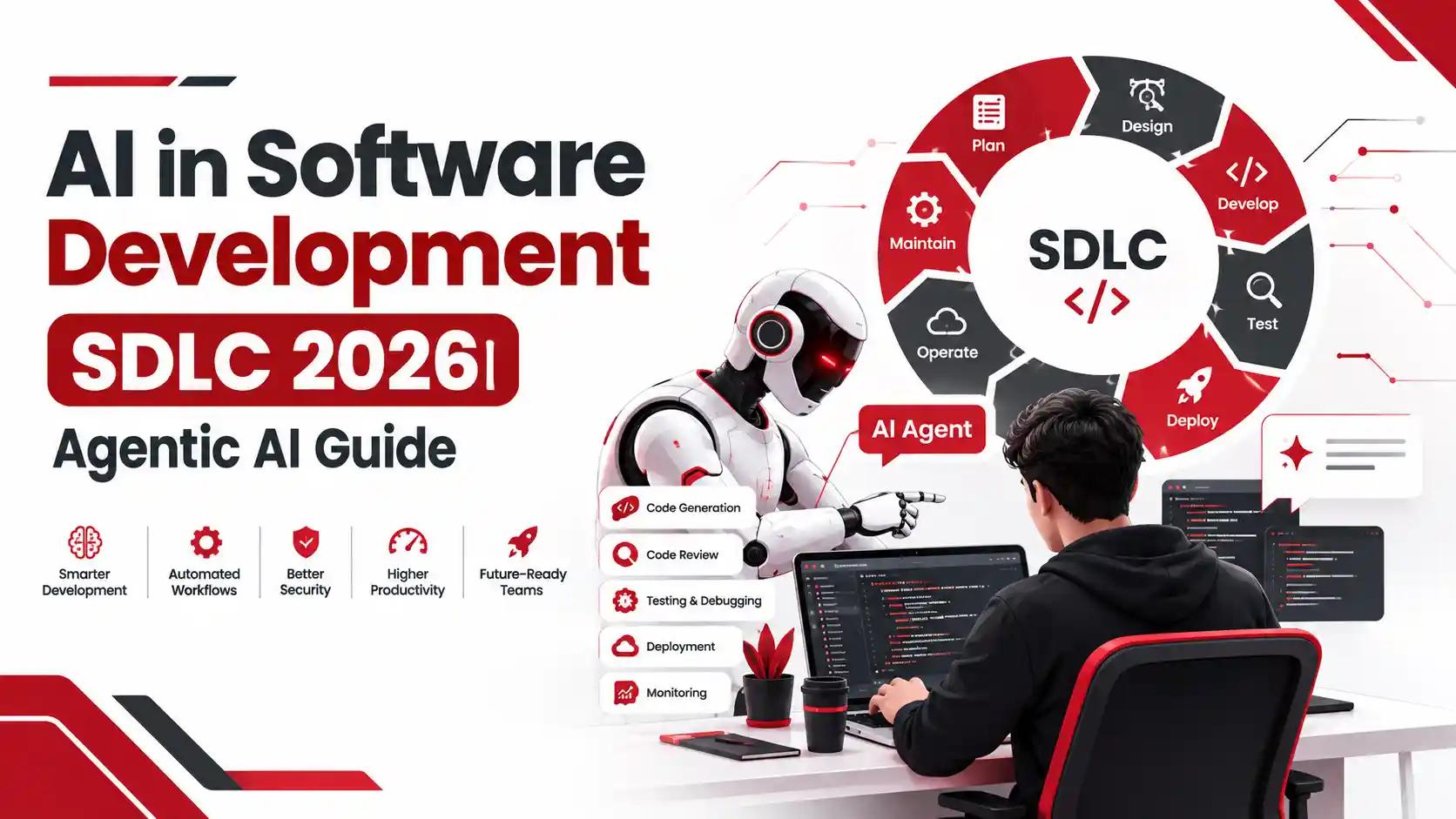
AI in the software development lifecycle (SDLC) means using AI models and autonomous AI agents to handle requirements analysis, coding, testing, code review, deployment, and monitoring — either assisting developers or executing tasks independently. In 2026, adoption has moved from copilot-style code completion to agentic workflows, where AI agents plan, write, test, and ship code with human checkpoints rather than line-by-line supervision.
Introduction
Software teams that were writing every line of code by hand two years ago are now shipping features with AI agents doing the first draft, running the tests, and flagging their own bugs. That shift didn't happen gradually — it happened in about eighteen months, and it's still accelerating.
At Trusinva Tech Solutions, we've spent the last few project cycles rebuilding our own delivery process around this reality, moving client engagements from manual sprints to AI-assisted and, in select cases, fully agentic workflows. This guide walks through what AI in the software development lifecycle (SDLC) actually looks like in 2026 — not the marketing version, but the practical one: what works, what still needs a human, what it costs, and what can go wrong if you skip the governance step. If you're evaluating whether to bring this into your own team, our AI-powered software development services walk through the same framework we use internally, and you can see how we've applied it on real engagements in our AI development work for US businesses.
Key Takeaways
- AI now touches almost every phase of the SDLC, not just coding — requirements, testing, DevOps, and documentation are all affected.
- Agentic AI SDLC differs from traditional AI-assisted coding because agents can plan multi-step work and act with limited autonomy, not just suggest code.
- AI adoption among software development professionals reached 90% in 2025, a 14-point jump from the prior year, according to Google Cloud's DORA research.
- Faster code output has a real trade-off: median time spent in pull request review is up sharply, and a growing share of PRs merge with little or no review across large enterprise datasets.
- Security guidance has caught up with the shift — the OWASP GenAI Security Project published a dedicated Top 10 for Agentic Applications in December 2025, covering risks unique to autonomous agents.
- Spec-driven development is emerging as the practical discipline that keeps agentic AI output aligned with business intent.
- Adoption succeeds when it's treated as an organizational change, not a tool rollout — governance, review discipline, and training matter as much as the model you pick.
What Is AI in the Software Development Lifecycle in 2026?
AI in the SDLC refers to the use of machine learning models, generative AI, and autonomous AI agents at any stage of building software — from gathering requirements through deployment and maintenance — to draft, review, test, or execute work that a human developer would otherwise do manually.
This isn't limited to autocomplete anymore. In 2026, "AI in the SDLC" spans three distinct layers of capability:
- Assistive AI — code completion, chat-based Q&A, and inline suggestions (what GitHub Copilot looked like in 2023–2024).
- Generative AI workflows — AI that produces full functions, test suites, or documentation from a prompt or specification, reviewed by a human before merge.
- Agentic AI — autonomous or semi-autonomous agents that plan a task, execute multiple steps (write code, run tests, fix failures, open a pull request), and only stop for human approval at defined checkpoints.
Most enterprise teams we work with sit across all three layers simultaneously — assistive tools for day-to-day coding, generative workflows for boilerplate and documentation, and early-stage agentic pilots for well-scoped, lower-risk tasks like test generation or dependency upgrades. If your team is trying to figure out where custom software fits into this shift, our breakdown of custom software development is a useful starting point before you bring AI agents into the mix.
AI-DLC vs Traditional SDLC vs Agentic SDLC — What's the Difference?
Traditional SDLC relies entirely on human effort at every phase. AI-DLC (AI-augmented Development Lifecycle) keeps the same phases but inserts AI assistance into each one. Agentic SDLC restructures the workflow itself, letting AI agents own entire tasks end-to-end with human checkpoints instead of human execution.
The confusion between these three terms is one of the biggest content gaps we see in existing guides — most treat "AI in SDLC" and "agentic SDLC" as the same thing, and they aren't.
| Aspect | Traditional SDLC | AI-DLC (AI-Augmented) | Agentic SDLC |
| Who executes tasks | Human developers | Human developers, AI-assisted | AI agents, human-supervised |
| Requirements gathering | Manual interviews, docs | AI drafts specs from notes | Agent extracts and validates specs, flags gaps |
| Coding | Manual, IDE-based | AI code completion / generation, human reviews | Agent writes, tests, and iterates on code independently |
| Testing | Manual + scripted automation | AI-generated test cases | Agent generates, runs, and debugs tests autonomously |
| Human role | Full ownership | Reviewer and editor | Approver at defined checkpoints |
| Speed | Baseline | 20–40% faster on repetitive tasks (typical range we see on client work) | Can compress multi-day tasks into hours, with review overhead |
| Risk profile | Well understood | Moderate — depends on review discipline | Higher without governance — requires new controls |
The practical takeaway: most companies aren't ready to jump straight to a fully agentic SDLC, and they don't need to. AI-DLC is the realistic middle step for 2026, and it's where we start almost every client engagement through our custom software development services.
How AI Is Changing Every Phase of the SDLC
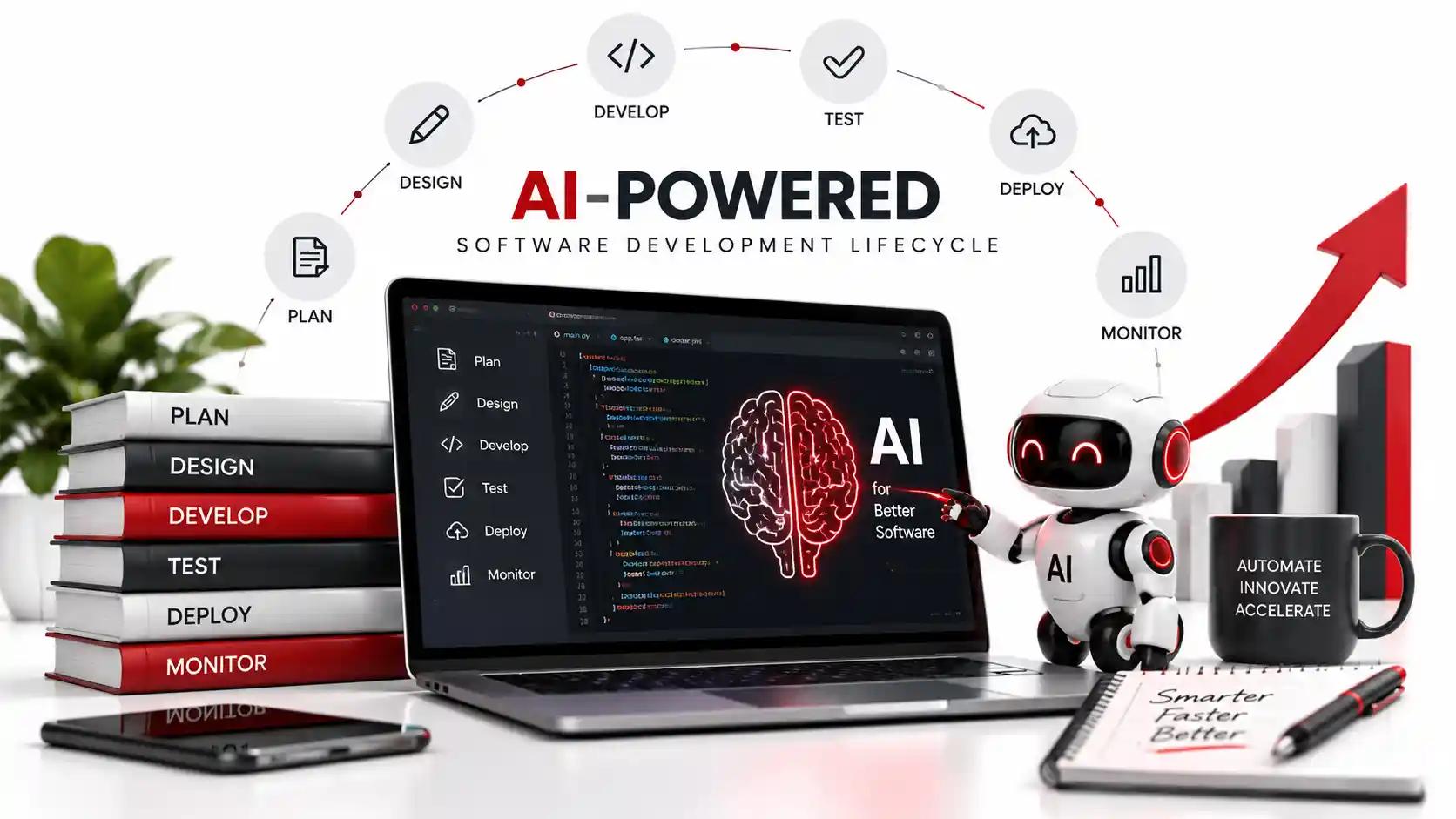
AI now has a role in every stage of the SDLC — requirements, design, coding, testing, deployment, and maintenance — but the depth of automation varies sharply by phase, with coding and testing furthest along and requirements gathering still mostly human-led.
Requirements & Planning
AI tools can now turn a messy client call transcript, a Slack thread, or a rough product brief into a structured requirements document with user stories and acceptance criteria attached. What they can't do is decide which requirements actually matter to the business — that judgment call still needs a product owner or a consultant who understands the client's market. On our own client intake, we use AI to draft the first version of a requirements doc, then walk through it manually with the client before anything gets built — a step our web development team treats as non-negotiable regardless of how good the AI draft looks.
System Design & Architecture
AI can propose architecture diagrams, suggest database schemas, and flag scalability concerns based on expected load, but architecture decisions carry long-term cost implications that a model with no memory of your last five projects can't fully weigh. We treat AI-generated architecture proposals as a first draft for senior engineers to challenge, not a final answer.
Development (Coding)
This is where AI has the deepest penetration. Code generation, completion, refactoring, and boilerplate elimination are now standard in most professional IDEs. Teams using AI code generation on well-scoped tasks routinely report cutting initial development time by a third or more — but that time savings shifts downstream into review and verification, a trade-off covered in detail in the statistics section below.
Testing & QA
AI test generation tools can now produce unit tests, edge-case scenarios, and even exploratory test scripts directly from source code. Agentic testing tools go further — they run the tests, interpret failures, and patch the code, looping until tests pass. This is one of the safest places to start with agentic AI, because test environments have low blast radius compared to production changes.
Deployment & DevOps
AI-assisted CI/CD pipelines can predict deployment risk based on the size and type of a change, auto-generate rollback plans, and flag configuration drift before it causes an outage. Combined with infrastructure-as-code tools like Terraform, this is turning DevOps into a largely AI-monitored function with human sign-off on production pushes — a shift our CRM and workflow automation clients have benefited from directly, since faster, safer deployment cycles mean feature requests reach production in days rather than weeks.
Maintenance & Monitoring
AI-powered monitoring tools now flag anomalies, predict failures before they happen, and in some setups, auto-remediate known issues without waking anyone up at 2 a.m. Documentation maintenance — historically the most neglected SDLC task — is also far more consistent now, since AI can generate and update technical docs alongside every code change instead of after the fact.
Agentic AI in SDLC: From Code Assistants to Autonomous Agents
Agentic AI in software development refers to AI systems that can independently plan, execute, and verify multi-step engineering tasks — writing code, running tests, debugging failures, and opening pull requests — with limited human intervention, rather than simply suggesting code line by line.
The distinction matters because it changes what "AI adoption" actually means for a team. A code assistant like GitHub Copilot completes what you're already typing. An agent like Devin, Claude Code, or Cursor's agent mode is handed a ticket and works the problem the way a junior engineer would: read the codebase, form a plan, write code, run it, fix what breaks, and report back.
Three architectural pieces make this possible in 2026:
- Tool calling — agents can invoke real tools (terminals, test runners, browsers, APIs) instead of just generating text.
- Model Context Protocol (MCP) — a standard, introduced by Anthropic, for connecting AI models to external tools and data sources consistently, which most major agent platforms have now adopted.
- Multi-agent orchestration — frameworks like LangGraph, CrewAI, and AutoGen let teams of specialized agents (a coder, a reviewer, a tester) collaborate on a single task rather than relying on one general-purpose agent.
We've piloted this model on internal tooling projects before rolling similar workflows into client work — agentic pull requests for dependency updates and test coverage gaps, with a human reviewer as the final gate. It's a useful entry point precisely because the blast radius is small. For teams exploring where agentic AI fits into a broader automation strategy, our AI automation services cover the same principle applied beyond just code.
Spec-Driven Development: The New Way Teams Work with AI
Spec-driven development is a workflow where teams write a detailed, machine-readable specification before any code is generated, so AI agents have a precise, unambiguous target to build against instead of interpreting a vague prompt.
This has become the practical antidote to one of agentic AI's biggest weaknesses: agents are extremely good at executing a plan and much less reliable at inferring what you actually meant. A spec-driven flow typically looks like this:
- A product owner or engineer writes a structured spec (inputs, outputs, edge cases, acceptance criteria) — often with AI assistance drafting the first pass.
- The spec is reviewed and locked before any agent touches code.
- The AI agent generates code, tests, and documentation directly from the spec.
- Output is validated against the original spec's acceptance criteria, not just "does it run."
We adopted a lightweight version of this on a recent SaaS client engagement: instead of handing an agent a feature request in plain English, we broke it into a spec with explicit acceptance criteria first. The rework rate on AI-generated code dropped noticeably compared to prompt-only generation, because the agent had less room to guess. This is the same discipline that separates teams getting real value from AI-DLC and teams stuck endlessly correcting AI output — a distinction we walk clients through as part of our custom software development process.
Key AI SDLC Statistics for 2026
AI adoption in software development is now near-universal, but the data shows a clear trade-off: individual productivity is up sharply while code review load and delivery instability are rising in step.
Last Updated: September 2026
- AI adoption among software development professionals reached 90% in 2025 — a 14-percentage-point increase from the year before, based on Google Cloud's DORA survey of nearly 5,000 technology professionals worldwide.
- Professionals using AI now spend a median of two hours a day working with it, and 65% describe their reliance on AI as heavy, with 37% calling it "moderate," 20% "a lot," and 8% "a great deal."
- More than 80% of technology professionals believe AI has increased their individual productivity, though the same research notes that time saved in code creation is often reallocated to auditing and verification.
- Around 30% of developers report very little trust in AI-generated code — a gap between adoption and confidence that shows up repeatedly in enterprise rollouts.
- At the organizational level, epics completed per developer are up 66.2%, but median time spent in pull request review has risen 441%, and 31% more PRs are merging with no review at all, according to 2026 telemetry across 22,000 developers.
- Nearly 40% of teams now fall into the two highest-performing DORA maturity profiles — combining fast delivery, high stability, and low team stress — showing that strong AI outcomes are achievable, not reserved for elite engineering orgs.
- On the security side, a 2026 industry report found that 81% of organizations lack full visibility into how AI is used across their SDLC, while 65% report an increase in security incidents tied to AI-assisted development.
- The average enterprise now faces an 82:1 machine-to-human identity ratio, driven largely by AI agents, tools, and automated pipelines — a governance problem most security teams haven't fully mapped yet.
The pattern across all of this data is consistent: AI is a genuine productivity multiplier, but only for teams that pair it with stronger review discipline, not less. Full source data is available directly from DORA's 2025 State of AI-assisted Software Development report.
ai-in-software-development
Best AI Tools for Each SDLC Phase in 2026
The right AI tool depends on the SDLC phase — code assistants like GitHub Copilot and Cursor dominate day-to-day coding, while agentic platforms like Claude Code, Devin, and Amazon Q Developer are built for autonomous, multi-step tasks.
| SDLC Phase | Leading Tools (2026) | Best For |
| Requirements & Planning | ChatGPT, Gemini, Claude | Drafting user stories, extracting requirements from notes |
| Coding | GitHub Copilot, Cursor, Windsurf, Aider, Cline, Continue | Inline completion, refactoring, boilerplate |
| Agentic Coding | Claude Code, Devin, Replit Agent, Amazon Q Developer, Gemini Code Assist | End-to-end task execution: plan, write, test, fix |
| Code Review | GitHub Copilot code review, Claude, CodeRabbit-style AI reviewers | Catching bugs, security issues, and style violations pre-merge |
| Testing | AI test generators built into Cursor/Copilot, agentic test runners | Auto-generating and running unit/integration tests |
| DevOps & Deployment | GitHub Actions with AI checks, Azure DevOps AI extensions | Risk-scored deployments, auto-generated rollback plans |
| Multi-Agent Orchestration | LangChain, LangGraph, CrewAI, AutoGen | Coordinating specialized agents (coder, tester, reviewer) |
| Agent-Tool Connectivity | Model Context Protocol (MCP) integrations | Letting agents call real tools, databases, and APIs consistently |
A common mistake we see is teams picking a tool based on hype rather than the specific phase it's meant to solve. Our AI development services start with a phase-by-phase audit of a client's existing workflow before recommending any specific tool stack — because the right tool for a five-person startup's coding phase is often the wrong one for an enterprise's compliance-heavy deployment pipeline.
Benefits vs. Challenges of AI in SDLC
AI shortens development cycles, reduces repetitive work, and improves test coverage, but it also introduces new review burdens, trust gaps, and quality risks that teams must actively manage rather than assume away.
Benefits
- Faster initial code generation, especially for boilerplate, CRUD operations, and test scaffolding.
- Lower barrier to entry for junior developers, who can lean on AI explanations while learning a codebase.
- More consistent documentation, since AI can generate docs alongside code changes automatically.
- Faster requirements-to-spec turnaround, cutting the lag between a client conversation and a workable dev ticket.
- Better anomaly detection in production monitoring, catching issues before they become outages.
Challenges
- Review overhead increases as more code gets generated faster — someone still has to verify it's correct.
- Trust gaps persist even after adoption; a meaningful share of developers still don't fully trust AI-generated code without review.
- Security blind spots grow with agent autonomy, since agents can call tools and access systems in ways traditional code scanners weren't built to inspect.
- Skill atrophy risk for teams that lean too hard on AI without maintaining core engineering judgment.
- Governance gaps are common — most organizations haven't formally defined what agents are allowed to touch without approval.
The trade-off isn't a reason to avoid AI adoption — it's a reason to structure it deliberately. Smaller businesses weighing whether AI adoption makes sense at their scale can see how we've approached this for leaner teams in our guide to AI for small businesses.
Security & Governance Risks in an AI-Driven SDLC
The biggest new risks in an AI-driven SDLC come from agent autonomy — agents that can call tools, access credentials, and take real actions introduce attack surfaces that traditional application security scanning was never built to catch.
In December 2025, the OWASP GenAI Security Project released the OWASP Top 10 for Agentic Applications 2026, a peer-reviewed framework built with more than 100 security experts and practitioners, cataloging ten risk categories specific to autonomous agents. The categories most relevant to software teams include:
- Agent Goal Hijack — an attacker manipulates what an agent is trying to accomplish, redirecting its actions toward a malicious outcome.
- Tool Misuse and Insecure Tool Execution — agents calling APIs or executing code in ways that exceed their intended scope.
- Excessive Agency — agents granted more autonomy than a task actually requires, widening the potential blast radius of any single compromise.
- Identity & Privilege Abuse — agents holding standing credentials that outlive the task they were created for.
- Memory Poisoning — corrupting an agent's stored context so it behaves incorrectly on future tasks.
Beyond OWASP's framework, several established standards apply directly to AI-driven development: the NIST AI Risk Management Framework and NIST SP 800-218 / 800-218A (Secure Software Development Framework) for governance and secure coding practices, ISO/IEC 42001 for AI management systems, ISO/IEC 27001 and SOC 2 for information security controls, and SLSA with a software SBOM for supply-chain provenance on AI-generated dependencies.
Practically, this means every AI-driven engineering team needs, at minimum: scoped and short-lived credentials for any agent that touches production, mandatory human review for anything an agent merges autonomously, and a documented policy on what tasks agents are and aren't allowed to execute without sign-off. Full detail on the framework is available directly from the OWASP GenAI Security Project and the NIST AI Risk Management Framework.
What AI Still Can't Do in the SDLC
AI still cannot reliably make architecture trade-off decisions, understand undocumented business context, take legal or ethical responsibility for a system's behavior, or replace the judgment that comes from having shipped and maintained software over years.
This is worth stating plainly, because a lot of AI-SDLC content overstates what current tools do. Specific gaps we run into on real projects:
- Business context AI wasn't trained on. No model knows why your client's last vendor failed, or which stakeholder will veto a design choice regardless of its technical merit.
- Long-term architectural consequences. AI can propose a schema; it can't tell you how that schema will feel to maintain in three years when the product has pivoted twice.
- Accountability. If an AI-generated deployment causes an outage or a data breach, the responsibility sits with the team that approved it — not the model.
- Novel, ambiguous problems. Agents perform well on well-specified tasks and struggle when the actual problem is figuring out what the real problem is.
- Client communication and expectation-setting. No agent replaces the conversation where a project manager explains to a client why a "simple" feature request touches six systems.
If a vendor tells you AI can replace your engineering judgment entirely, that's a red flag, not a selling point. We've built our process around AI doing the repetitive 60%, so our engineers spend their time on the 40% that actually needs a human — which is also why our web development and UI/UX design teams still lead every project with a human-run discovery phase before any AI tooling touches the build.
How Much Does AI-Assisted Software Development Cost?
AI-assisted software development typically costs 15–30% less than fully manual development for standard web and CRM builds, driven mainly by reduced hours on boilerplate coding, testing, and documentation — though architecture, security review, and client-specific customization still require the same senior-level time.
Cost depends heavily on where in the SDLC you apply AI:
| Cost Driver | Typical Impact |
| Boilerplate and CRUD coding | Time reduced 30–50% on repetitive modules |
| Test writing | Time reduced 25–40% with AI-generated test suites |
| Documentation | Time reduced up to 60%, since docs generate alongside code |
| Architecture & senior review | Little to no reduction — this still needs experienced engineers |
| Security review of agent-generated code | Often adds time initially, until review processes mature |
| Tooling & licensing | New recurring cost: AI coding assistants and agent platforms typically run $20–$60 per developer per month |
On a recent mid-sized CRM build for a US client, layering AI-assisted development into the coding and testing phases brought the timeline in roughly three weeks under our standard estimate, without cutting corners on the security review. That's a realistic range — not the 10x productivity claims some vendors advertise. For a full cost breakdown by project type, our guide on software development cost covers the underlying pricing models AI adoption sits on top of, and our mobile app development cost guide applies the same logic to app builds specifically.
Step-by-Step Roadmap to Adopt an AI-First SDLC
A safe, effective AI-first SDLC adoption starts with a narrow, low-risk pilot, builds governance before scaling, and only expands to agentic workflows once review discipline is proven — not the other way around.
- Audit your current SDLC phase by phase. Identify where repetitive, high-volume work is concentrated — usually boilerplate coding, test writing, and documentation. This is where AI delivers the fastest, safest wins.
- Pick one low-risk pilot. Test generation or documentation is a better starting point than production deployment automation. Small blast radius, easy to measure.
- Define what AI is and isn't allowed to touch. Write this down before you scale, not after an incident forces the conversation.
- Set review checkpoints, not blanket trust. Every AI-generated change should have a defined human review gate until your team has data proving otherwise.
- Track the DORA-style metrics that matter. Delivery throughput, delivery stability, PR review time, and rework rate — not just "lines of code generated."
- Introduce spec-driven workflows before scaling agentic tasks. Locking specs before agents touch code cuts rework significantly, as covered above.
- Train your team, not just your tools. The DORA research is clear that AI amplifies existing team strengths and weaknesses — invest in the underlying engineering practices alongside the AI rollout.
- Expand gradually into agentic workflows. Move from assistive to generative to agentic only as each stage proves stable, with security controls (scoped credentials, sandboxed execution, monitoring) built in from day one.
If you'd rather have this audit done for you than run it internally, book a seat with our team to walk through where your current SDLC stands and where AI adoption actually makes sense for your size and industry.
Common Mistakes Teams Make When Adopting AI in SDLC
The most common AI-SDLC adoption mistakes are skipping governance until after an incident, treating tool adoption as a substitute for process change, and letting AI-generated code merge with less scrutiny than human-written code, not more.
- Rolling out agents before defining boundaries. Teams grant broad tool access to move fast, then discover months later that nobody documented what an agent is allowed to do unsupervised.
- Measuring success by output volume alone. Lines of code or PRs merged per week look great until rework rates and review backlogs are factored in.
- Assuming AI-generated code needs less review. The data shows the opposite is safer — faster generation means review needs to get more rigorous, not less.
- Ignoring the trust gap. Roughly a third of developers don't fully trust AI-generated code even after adopting it — pretending that gap doesn't exist leads to silent workarounds and shadow processes.
- Skipping security frameworks because "it's just code completion." Once agents can call tools and access systems, that assumption stops being true — the OWASP Top 10 for Agentic Applications exists precisely because this gap became a real problem.
- Underinvesting in the underlying engineering culture. AI amplifies what a team already is. A team with weak code review habits gets weaker, faster, with AI in the mix — not stronger.
Teams migrating from an older custom platform often make an additional mistake specific to legacy code: pointing agentic tools at undocumented, decade-old codebases without first stabilizing the architecture. If that sounds familiar, our custom website development team typically recommends a modernization pass before layering AI tooling on top.
Why Choose Trusinva Tech Solutions for Agentic AI-Driven Software Development
Trusinva Tech Solutions builds AI-assisted and agentic software development workflows around governance and review discipline first, tool adoption second — because the data is clear that AI amplifies whatever engineering culture already exists on a team.
We've applied the spec-driven, phase-by-phase approach outlined in this guide across client engagements ranging from CRM builds for US sales teams to full-stack SaaS platforms, and the results have been consistent: faster delivery on the repetitive 60% of the work, with senior engineering time protected for architecture, security, and the client-specific judgment calls AI still can't make. On one enterprise engagement, integrating AI-assisted testing and documentation into our existing delivery pipeline shortened QA cycle time by roughly two weeks without loosening our review standards — you can see how that translates into a broader AI transformation approach in our Enterprise AI project case study.
What sets our process apart is that we treat security and governance as part of the build, not an afterthought bolted on before launch — every AI-assisted or agentic workflow we run for clients maps back to the NIST and OWASP frameworks covered above. If you're evaluating an AI software development company in the USA, that governance-first discipline is the differentiator worth asking any vendor about directly. Beyond software teams, this same automation shift is reshaping operational roles across finance, healthcare, and logistics — if your organization is investing in reskilling as AI expands into those functions, our accredited USA Taxation, Medical Billing, and Truck Dispatching programs through our Courses hub are a practical next step — book a seat to discuss a training path for your team.
Frequently Asked Questions
1. What is agentic AI in software development?
Agentic AI refers to AI systems that can independently plan and execute multi-step engineering tasks — writing code, running tests, fixing failures, and opening pull requests — with human review at defined checkpoints rather than continuous supervision.
2. Is AI going to replace software developers?
No. AI removes a large share of repetitive coding, testing, and documentation work, but architecture decisions, business context, accountability, and client communication still require human developers, based on current agentic AI capabilities.
3. What's the difference between AI-DLC and agentic SDLC?
AI-DLC keeps traditional SDLC phases and inserts AI assistance into each one, while agentic SDLC restructures the workflow so AI agents own entire tasks end-to-end, with humans approving rather than executing.
4. How much does it cost to add AI to an existing development process?
Beyond tooling licenses (typically $20–$60 per developer monthly), most teams see 15–30% overall project cost reduction on standard builds, concentrated in coding, testing, and documentation phases rather than architecture or senior review.
5. Is agentic AI safe to use in production environments?
It can be, with the right controls — scoped and short-lived credentials, mandatory human review gates, and monitoring aligned to the OWASP Top 10 for Agentic Applications. Without those controls, agentic AI introduces real security risk.
6. What is spec-driven development and why does it matter for AI?
Spec-driven development means writing a detailed specification before AI generates any code, giving agents a precise target instead of an ambiguous prompt. It significantly reduces rework compared to prompt-only generation.
7. Which AI coding tools are best for small teams versus enterprises?
Small teams typically start with assistive tools like GitHub Copilot or Cursor for immediate productivity gains. Enterprises benefit more from agentic platforms like Claude Code or Amazon Q Developer combined with governance frameworks, given their larger security and compliance surface.
8. Does using AI in the SDLC increase security risk?
It can, specifically through agent autonomy — tool access, standing credentials, and multi-step execution create attack surfaces traditional security scanning doesn't cover. The OWASP Top 10 for Agentic Applications (2026) documents these risks directly.
9. What SDLC phase benefits most from AI right now?
Coding and testing show the deepest AI penetration in 2026, followed closely by documentation and DevOps monitoring. Requirements gathering and architecture design remain the most human-dependent phases.
10. How do I start adopting AI in my SDLC without disrupting current delivery?
Start with one low-risk pilot — typically test generation or documentation — before expanding. Define governance boundaries early, track delivery stability alongside speed, and scale into agentic workflows only once review discipline is proven.
Conclusion
AI in the software development lifecycle isn't a future trend anymore — it's already the default way most teams write, test, and ship code, with adoption sitting near universal across the industry. The real differentiator in 2026 isn't whether a team uses AI, but whether it's paired AI adoption with the governance, review discipline, and spec-driven practices that keep speed from turning into instability.
If you're deciding how far to take this in your own organization, start narrow: pick one repetitive phase, pilot it, measure it honestly, and build governance before you scale into agentic workflows. That's the same path we walk clients through at Trusinva Tech Solutions, whether the goal is a faster CRM build, a modernized legacy platform, or a full AI-native development process.
Book a seat with our team to map out where AI fits into your SDLC — and where it shouldn't, at least not yet.